

56time zones, one city each
147airport codes you can type
2styles: modern or retro
0accounts, network or tracking
One face, read at a glance
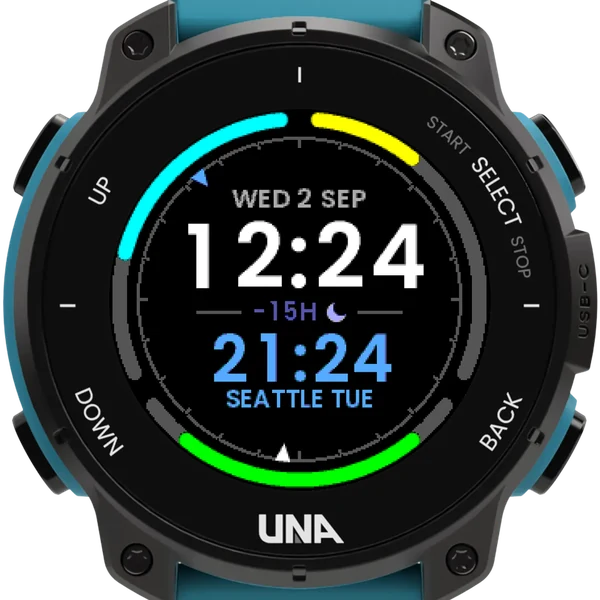
Two times
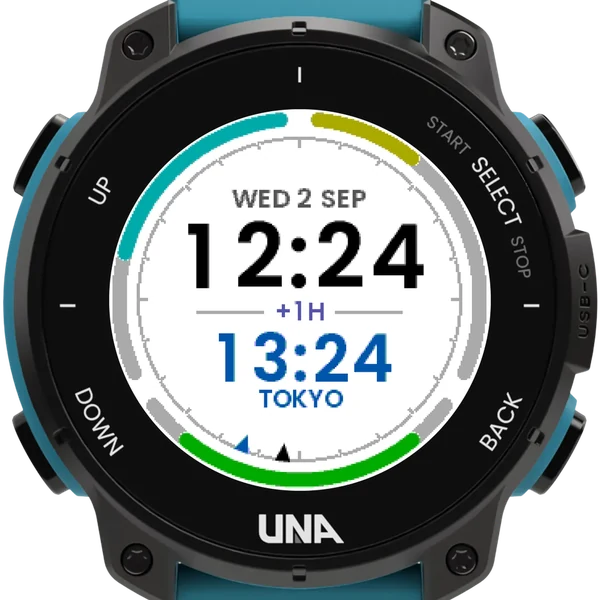
Your own time sits large in the middle, another city's on the line beneath it. That city's weekday appears only when it is on a different date to you; between the two sits the difference in hours, with a moon when it is night there.
Round the edge
Today's steps and active minutes drawn as rings against the daily goals set on your watch, and the battery as a short arc at the bottom. Inside the edge, a 24-hour dial points to both times.
Modern or retro
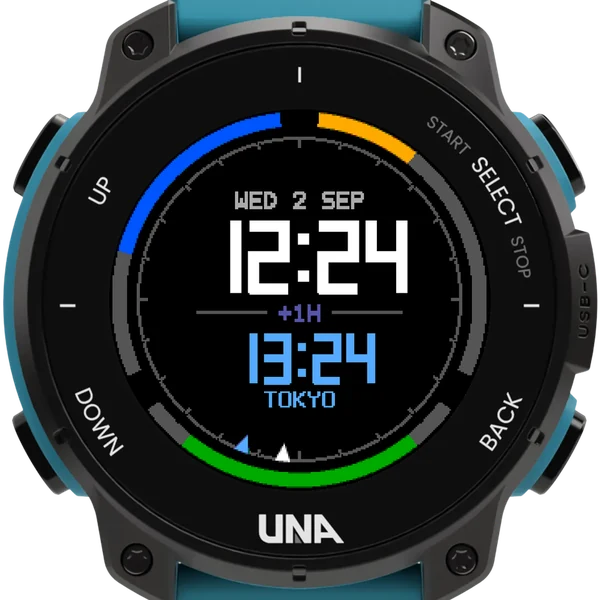
Modern draws the face as WorldClock does. Retro draws it in ClockStudio's style, with seven-segment times, dot-matrix lettering, and the ring's three parts square-ended in blue, orange and green.
Getting started
- Choose Zone Clock under Settings, Watch Face on the watch.
- In the phone app, open Configure for Zone Clock and set City shown to the city you want to see. The face picks up a change within a minute.
- Cities are three-letter airport codes, one city for each of the world's 56 time zones, plus alias codes that keep the same time.
- Your own time is the watch's, taken from your phone, so there is nothing to set; or set it to come from GPS.
- The watch-face version of WorldClock: you can have both, and they keep separate settings.
Settings
- City shown: an airport code
- Where your own time comes from: the watch or GPS
- Light screen on wrist raise: off, night or always
- Dark text on a light face, easier in daylight
- Face style: modern or retro
The face shows one other city; to step through a list of them, WorldClock does that, and you can have both.