

3views, a DOWN tap apart
2norths: true or magnetic
2ways to calibrate
0accounts, network or tracking
Three views
Heading
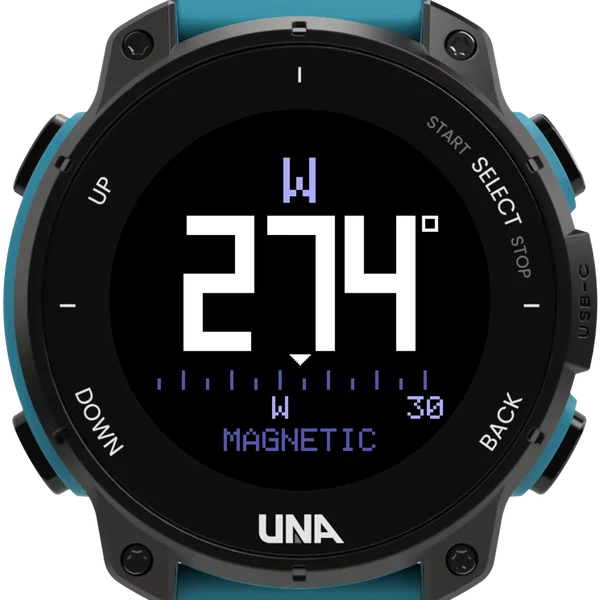
The direction you face as a large number that rolls smoothly as you turn, with the compass point above it and a sliding heading tape beneath. Lodestone remembers the last view you used.
Rose
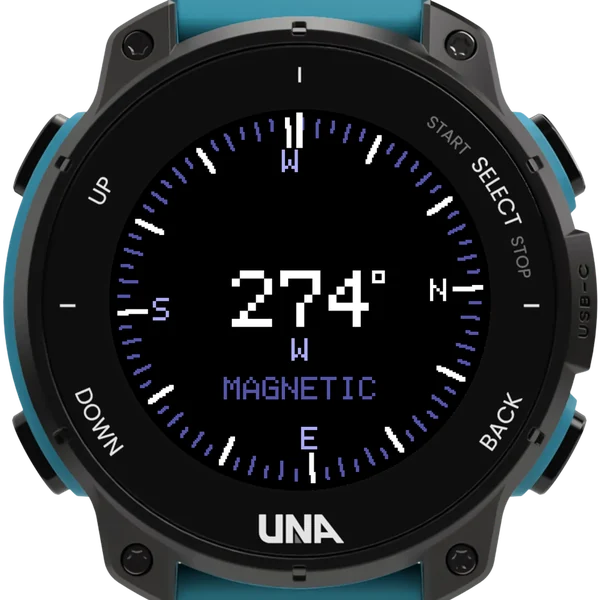
A compass card that turns under a fixed line at the top, so the letter under the line is the way 12 o'clock points. A course you have set shows on it as a marker.
Course
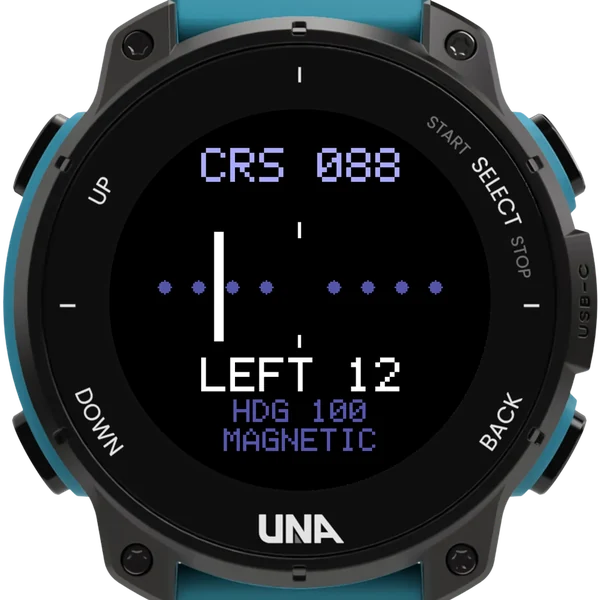
Point 12 o'clock the way you need to go and hold SELECT to set it. A needle shows how far off course you are and to which side, with the correction in words: LEFT 12, RIGHT 5, ON COURSE.
Finding north
- It reads the watch's magnetometer, so it finds north while you stand still, and corrects for how you hold your arm, so a tilted watch still reads true.
- Calibrate first, in the watch's Settings, Sensors, Compass, or by holding UP for two seconds: a large figure of eight, turning the watch face down and back up.
- Until it is calibrated the bottom line says UNCALIBRATED. Calibrate again if north seems wrong, especially after a strong magnet such as a magnetic charging cable.
- Hold SELECT for two seconds to switch between true and magnetic north; a course is moved so it still points the same way on the ground.
- True north needs the declination, and the curator page looks it up from the name of a town.
Buttons
| DOWN | tap | the next view |
| SELECT | hold | set the course; two seconds, true or magnetic north |
| UP | hold | invert; two seconds, calibrate; four, the info pages |
| BACK | leave |
A compass, not a map: nearby metal and magnets pull it off, and it is not for navigation where your safety depends on it.