

18degrees down: true dark begins
24hour dial, midnight at the top
1GPS fix, remembered
0accounts, network or tracking
Reading the face
The rim
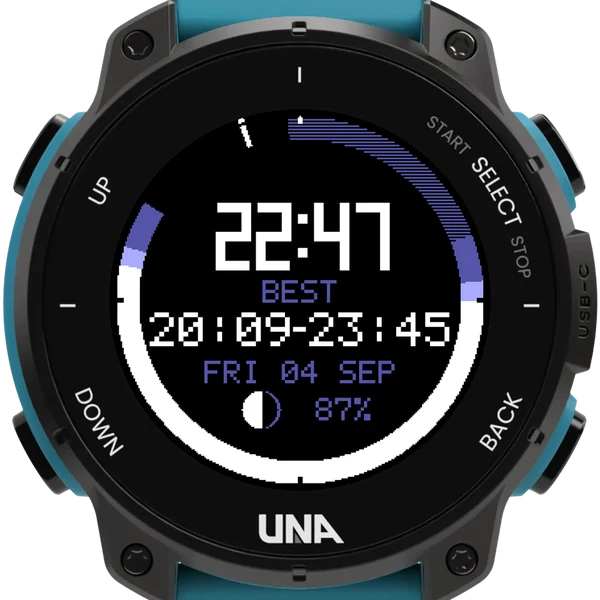
The night drawn round the edge as a 24 hour dial, midnight at the top. Black is dark with the moon down, your window; striped is dark with the moon up; the paler bands are twilight and daylight.
The centre
The time, large, then BEST: the dark and moonless window as a start and end time. Below it the date, the moon's phase and the battery. A mark with a small tick outside it shows now.
The fuller face
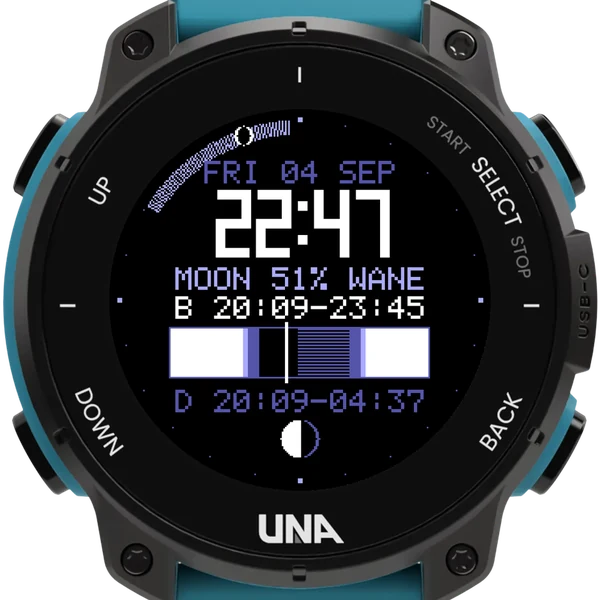
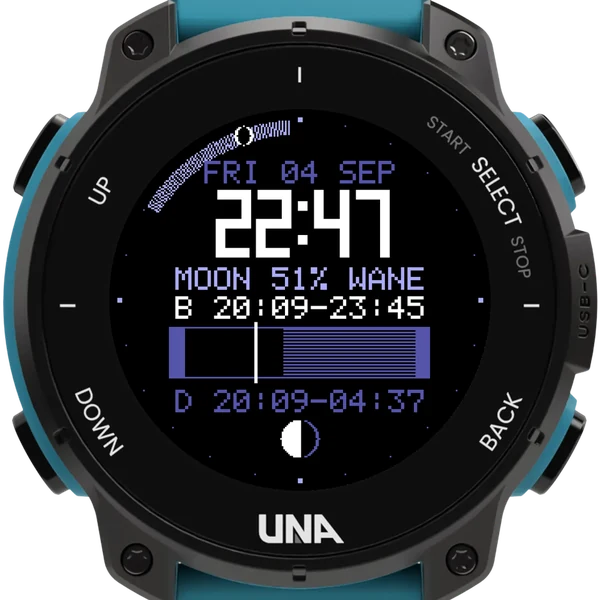
Turn Simplified face off for the night as a bar across the middle, running noon to noon, the best window as a bold arc on the rim with a knob for now, and three rows of times.
Getting started
- Choose Astro Clock under Settings, Watch Face on the watch, then step outside for a minute or two.
- It needs one GPS fix to know where you are, and remembers it. Until then it says NO POSITION.
- The screen light is off by default: a white light ruins eyes adjusted to the dark, and a red torch lights this display perfectly well.
- The face picks up a settings change within a minute.
- Astro Clock is the watch-face version of Stargazer. You can have both; they keep separate settings.
Settings
- Show twilight times: sunset and the end of civil twilight, in place of BEST
- Simplified face: on by default; off for the fuller face
- Timeline span: all 24 hours, or dusk to dawn only
- Dark markings on a light face, for daylight
- Screen light on wrist raise: off, night or always
It knows nothing about cloud, and it cannot tell you where to point.