

3pages, a DOWN tap apart
GPXtracks saved on the watch
3coordinate formats
0accounts, network or tracking
Three pages
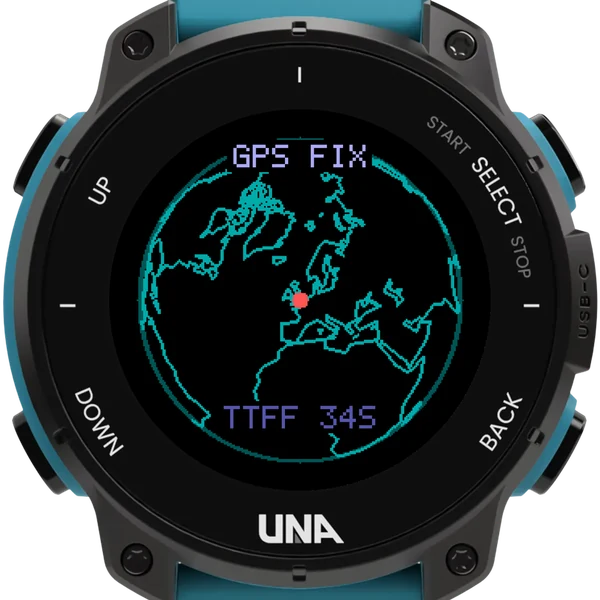
The globe
The world seen from above you, with a dot where you are. Its colour says how sure the receiver is: solid red within about five metres, orange to fifteen, yellow beyond. Tap SELECT for the key.
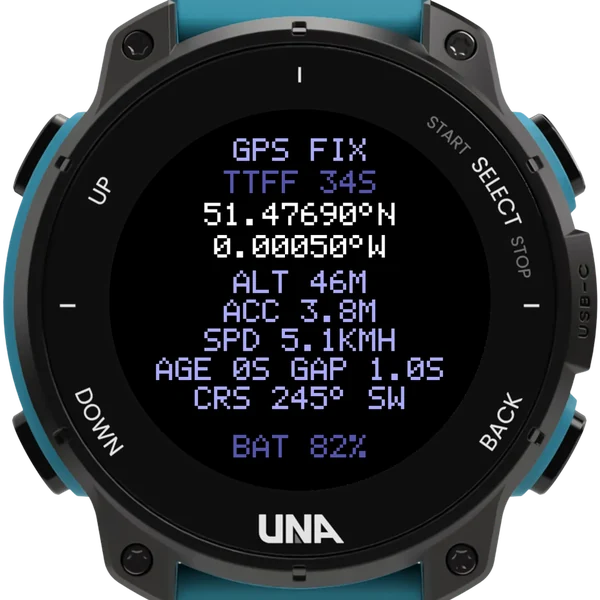
The status page
Searching, then the time to first fix. Your position in decimal degrees, degrees and minutes, or degrees, minutes and seconds; altitude, accuracy, speed and course.
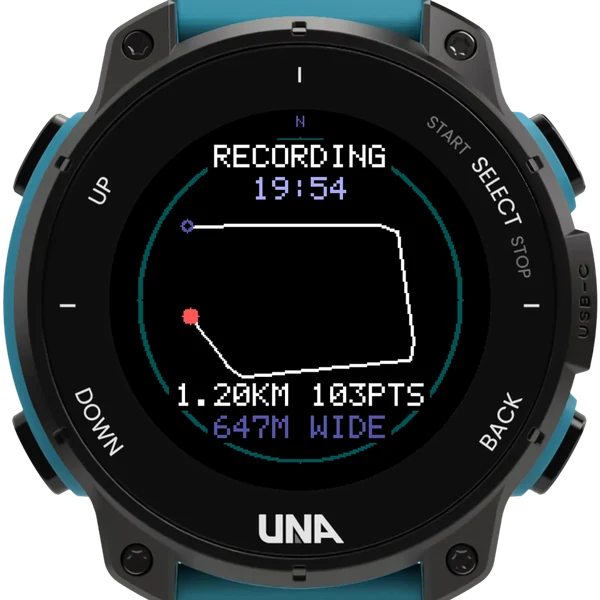
The track page
Hold SELECT to record. Your trail drawn north up, with the time, the distance and the points kept; a finish flag where you stopped.
Tracks you can keep
- Each track is a GPX file on the watch, written as it goes, so nothing is lost if the watch stops.
- Every file notes its settings, the battery at the start and the end, and the positions it was given and skipped, so a gap explains itself.
- Points by distance, by time, or every position the receiver gives.
- BACK leaves it recording, a red dot on every page saying so; a battery saver eases off when the battery runs low or the sky is lost, and at 5% the track stops and saves.
- Plug the watch into a computer and the tracks are in Apps/62E85B7304BAA553/tracks.
Buttons
| DOWN | tap | the next page |
| SELECT | hold | restart the GPS; on the track page, start or stop |
| SELECT | tap | the globe's colour key |
| UP | hold | invert, the wrist light, the info page |
| BACK | leave; a recording carries on |
No satellite view: the watch tells apps where it is, not how it knows. Open sky helps.