

5faces in one
2settings: the face and invert
20 sfor a change to reach the face
0accounts, network or tracking
Five faces, two settings
Five faces
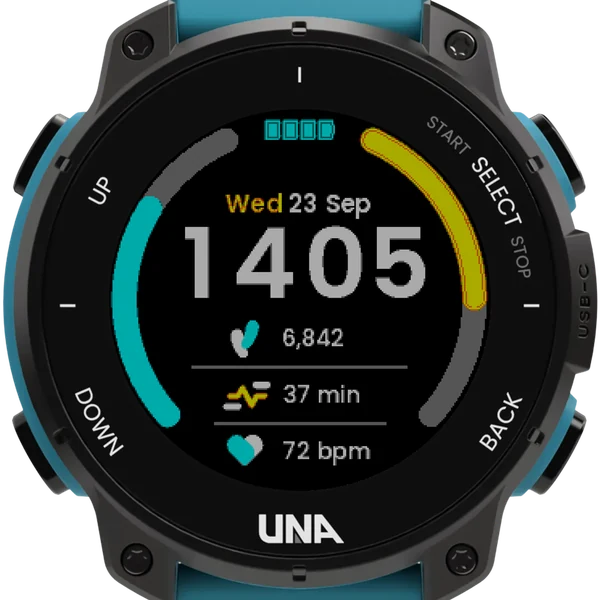
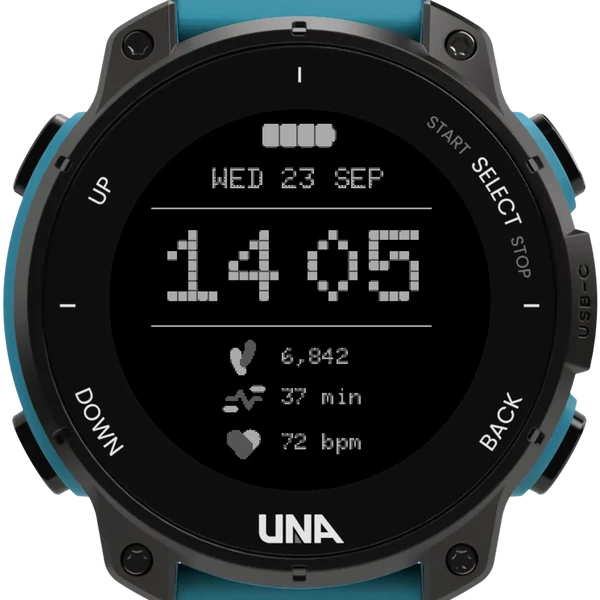
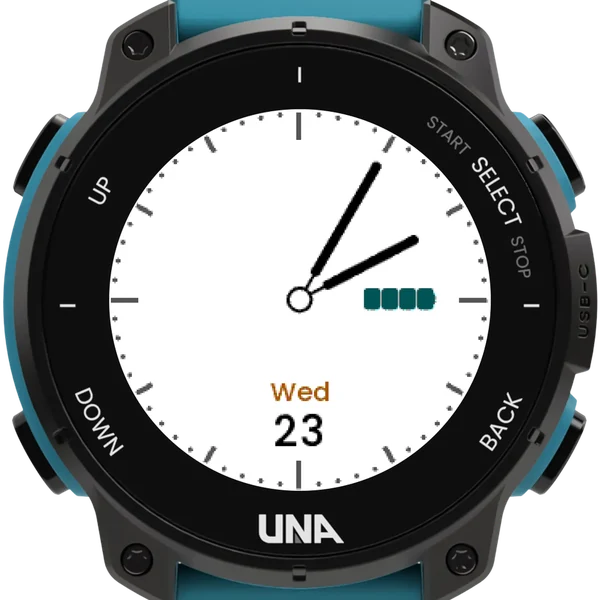
The example faces UNA published with its SDK, each drawn as its author laid it out: Retro, Peak, Smile, Console and Analogue. Name one in the face setting and the watch shows it.
Dark on light
The invert setting turns any face over for daylight: a light ground with dark digits, hands and rules, and each face's own colours deepened to read on white.
Live from the phone
A watch face has no buttons, so the phone app's Configure form is the only way to change anything. The watch picks up a change within 20 seconds, without restarting anything.
The faces
- Retro: dotted digits, steps, active minutes, heart rate, and a battery that empties in four steps.
- Peak: two goal rings round the rim and a two-colour date, with targets from the watch's own settings.
- Smile: a shaped background and three columns.
- Console: the date in monospace, one sensor and an off-centre clock.
- Analogue: hands over a dial.
- Only what the shown face draws is held open; a face that is not showing costs nothing.
Settings
- Choose DialDeck under Settings, Watch Face
- Face: retro, peak, smile, console or analogue
- Dark on light: any face turned over for daylight
- Set in the phone app: a watch face has no buttons
Firmware 1.5.0 has its own faces with the same names and looks; DialDeck's settings only reach the copies inside DialDeck.